
Learn how to change garage door keypad codes and replace remote batteries for LiftMaster and Chamberlain models with our comprehensive guide. This article provides practical tips, expert advice, and step-by-step instructions to enhance your garage door security and convenience. Whether you’re a DIY enthusiast or prefer professional services, discover valuable insights to keep your garage door functioning smoothly and securely.
Understanding Garage Door Keypads and Remotes
LiftMaster and Chamberlain are among the most popular garage door system brands, known for their reliability and advanced features. Their keypads and remotes provide convenient, keyless access to your garage — but to maintain effectiveness, you need to periodically update keypad codes and replace remote batteries.
Why Regular Maintenance Matters
Changing Keypad Codes
Outdated or shared codes are a common security vulnerability. Update your keypad code if you’ve:
- Recently moved into a new home
- Shared the code with service providers
- Noticed any signs of unauthorized access
Replacing Remote Batteries
A weak battery causes intermittent or unresponsive performance. Regular replacement ensures reliable access and prevents being locked out unexpectedly.
How to Change Your Keypad Code
Step 1: Locate the Learn Button
Find the “Learn” button on the back or side of your opener motor. Depending on the model, it may be red, orange, purple, or yellow.
Step 2: Enter the Current Code
Enter your existing code on the keypad to verify authorization. If you’ve forgotten it, you’ll need to perform a full reset.
Step 3: Press the Learn Button
Press the “Learn” button to activate programming mode. You’ll have approximately 30 seconds to complete the next step.
Step 4: Enter the New Code
Type your new code on the keypad and press “Enter.” Choose something memorable but not easily guessable — avoid sequences like “1234” or repeated digits.
Step 5: Test the New Code
Enter the new code to confirm the door opens correctly. If it doesn’t, repeat the steps above.
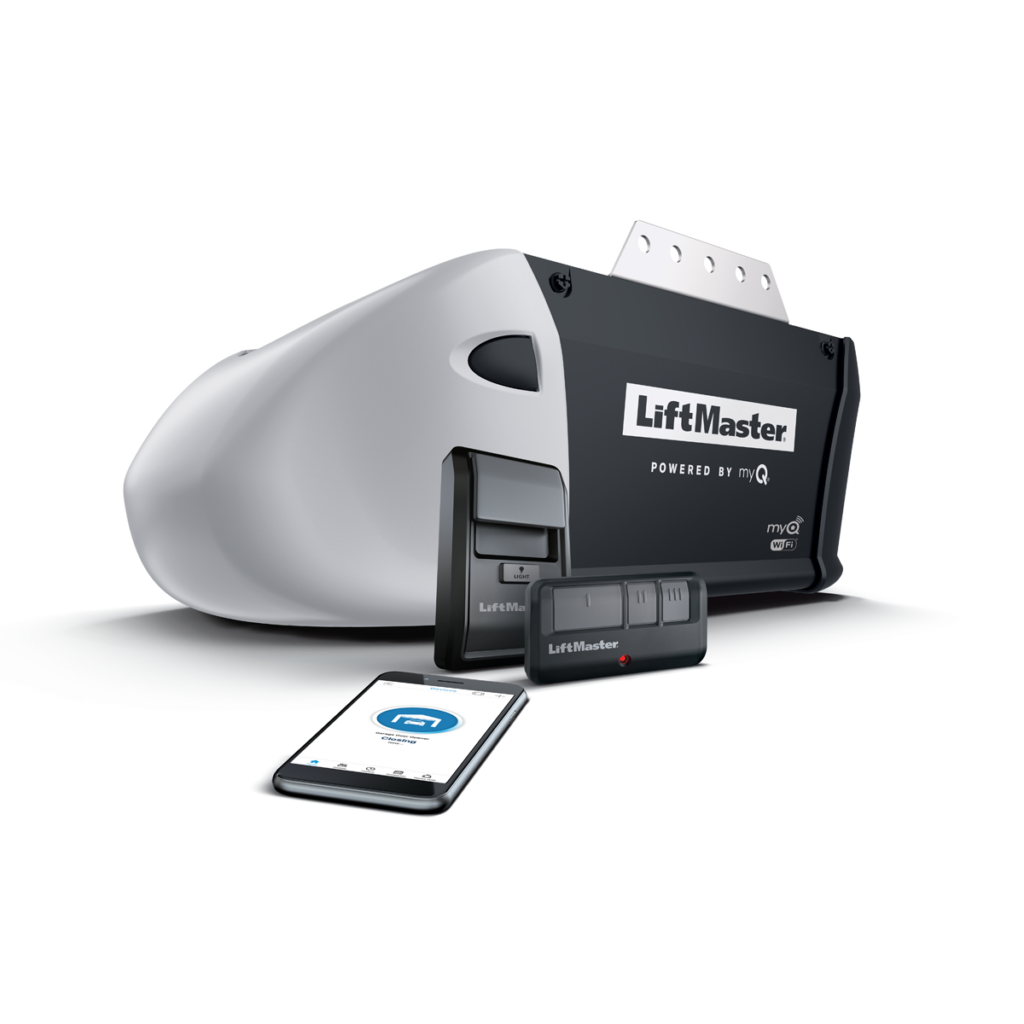
Programming Your Remote Control
Step 1: Press the Learn Button
Press and release the “Learn” button on the opener. The indicator light will blink or stay steady, signaling it’s ready to accept a new signal.
Step 2: Program the Remote
Within 30 seconds, press and hold the desired button on your remote until the opener’s lights blink or you hear a click. This confirms successful programming.
Step 3: Test the Remote
Press the remote button to verify the door responds. If it doesn’t, try the process again or consult your model’s manual.
Troubleshooting Tips:
- Ensure the remote battery is fresh and correctly installed
- Stay within range of the opener during programming
- Consult Fix One’s certified technicians if issues persist
Replacing Remote Batteries
Most LiftMaster and Chamberlain remotes use a 3V CR2032 lithium battery. Confirm the type by checking your remote’s manual or battery compartment.
Step 1: Open the Battery Compartment
Locate the compartment on the back of the remote. Some models may require a small screwdriver.
Step 2: Replace the Battery
Remove the old battery, noting its orientation. Insert the new battery with the positive (+) side facing up, then close the compartment.
Step 3: Test the Remote
Verify the remote opens or closes the door. If unresponsive, double-check battery orientation and that the compartment is fully closed.
Tips for Prolonging Battery Life:
- Store the remote in a cool, dry place
- Avoid exposure to extreme temperatures
- Clean battery contacts regularly
For more detailed information on garage door systems and maintenance, visit our garage door services page. If you encounter persistent issues or need professional assistance, consider reaching out to Fix One’s certified technicians for expert help.
Enhancing Garage Door Security
Beyond code changes and battery replacements, consider these additional measures:
- Rolling Code Technology — Many LiftMaster and Chamberlain models generate a new access code with every use, preventing code theft. Upgrade to a rolling code system if yours doesn’t have this feature.
- Physical Security — Mount your opener out of reach, add a security camera or light, and always lock the door when away.
- Smart Openers — Monitor and control your garage door remotely via smartphone for added convenience and security.
- Regular Inspections — Schedule routine maintenance with professional technicians to catch vulnerabilities early.
Conclusion
Maintaining your garage door keypad and remote control is crucial for the security and convenience of your home. By regularly updating your keypad code and replacing remote batteries, you can ensure that your garage door system operates smoothly and securely. Whether you choose to handle these tasks yourself or seek professional services, understanding these processes empowers you to make informed decisions about your garage door maintenance.
For more information on our comprehensive range of services, including garage door opener repair and maintenance services, call us today.
Conclusion
Proper maintenance and security of your garage door keypad and remote control are essential for the safety and convenience of your home. By regularly updating your keypad code, replacing remote batteries, and programming your remotes, you ensure your garage door system operates smoothly and securely. Additionally, consider enhancing your garage door security with rolling code systems and professional upgrades.
Whether you prefer DIY solutions or professional services, understanding these processes empowers you to make informed decisions about your garage door maintenance. For those in Ottawa and Toronto, local garage door repair services are readily available to assist with any issues you may encounter. For more information on our comprehensive range of services, including garage door opener repair and maintenance services, visit our website.

